
DIY Homemade Teleprompter: Build Yours Fast & Cheap (and Record Like a Pro)
Want to save hundreds of dollars and still get professional results? Learn how to build your own DIY homemade teleprompter and discover why PromptNinja is the perfect free software for your new setup.
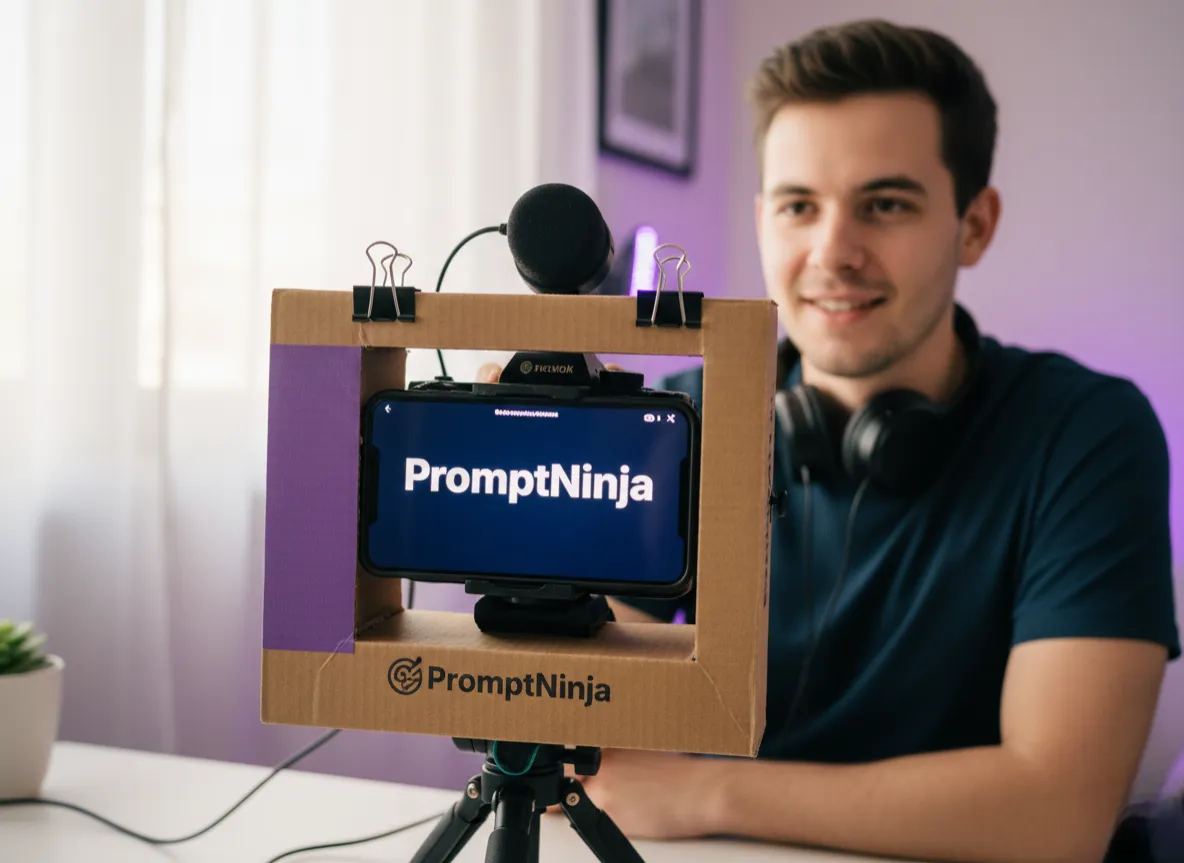
Recording professional-looking videos requires fluency and confidence, but memorizing scripts is a constant challenge. Professional teleprompter equipment solves this, but the cost can be prohibitive for those just starting out. The good news? You can build a cheap DIY homemade teleprompter with simple materials and achieve impressive results.
Free Software with Mirror Mode
Built your teleprompter but don't have a way to flip the text?PromptNinja has the Mirror function 100% free.
Open Teleprompter with MirroringMaterials Needed to Build Your DIY Teleprompter
Shopping List for Your Homemade Teleprompter
- Glass or Clear Acrylic: A 8x10" or 11x14" picture frame (remove the backing) or a sheet of clear acrylic. This will be your "beam splitter" that reflects the text.💡 Where to buy: Frame shops, craft stores, or hardware stores (acrylic)
- Support Structure: A sturdy cardboard box (large shoebox or moving box) or a lightweight wood frame (plywood or MDF). Paint the inside matte black to prevent unwanted reflections.💡 Where to buy: Office supply stores, craft stores, or lumber yards
- Display Device: A tablet (7-10 inches is ideal), smartphone, or portable monitor to display the script.💡 Use what you have! Old tablets work perfectly
- Black Cloth or Cardboard: To create a "tunnel" between the camera lens and glass, blocking ambient light and ensuring the camera doesn't appear in the reflection.💡 Where to buy: Fabric stores or office supply stores
- Camera: Any DSLR, mirrorless, webcam, or even your smartphone camera.
- Tape/Hot Glue: To secure the pieces.💡 Hot glue is ideal for quick assembly and adjustments
💰 Total Estimated Cost: $10 to $30
Compare with professional teleprompters that cost $200 to $1,500+
Beware of the Mirror Effect!
When using glass to reflect text, it will appear reversed. You'll need software that supports Mirror Mode. PromptNinja includes it for free so you can start recording right away.
📱 Using a Tablet or iPad?
Tablets are excellent for DIY teleprompters due to their screen size and portability. If you plan to use one, check out our specific guide on how to use a teleprompter on tablet for positioning tips and setup.
Step-by-Step: How to Build a Homemade Teleprompter
O que você vai precisar:
Ferramentas
- Scissors or Box Cutter
- Smartphone or Tablet (to display text)
- Camera (to record)
Materiais
- Cardboard Box or Wood
- Glass or Clear Acrylic
- Black Cloth
- Tape or Hot Glue
Step 1: Prepare the Base Structure
Step 2: Position the Glass/Acrylic
Step 3: Position the Tablet/Monitor
Step 4: Block Light with Black Cloth
Step 5: Configure the Software (PromptNinja)
Why PromptNinja is Perfect for Your DIY Teleprompter
While your DIY structure handles the hardware, PromptNinja was specifically designed with homemade setups in mind. All core features are 100% free.
🪞 Smart Mirroring
With 1 click, flips text horizontally and vertically. The glass reflection becomes perfectly readable to you but invisible to the camera.
📱 P2P Remote Control via QR Code
Record solo! Scan a QR code and use your phone as a remote. Start, pause, adjust speed without touching the tablet.
⚡ No Installation or Lag
Works directly in the browser. P2P control via local Wi-Fi (no internet needed). Instant response, zero lag.
🎨 Fully Customizable
Adjust font, size, colors, speed, and more. Perfectly adapt to your setup and lighting.
Optimizing PromptNinja for Your DIY Setup
Recommended Settings
- 🔆Screen Brightness:
Set tablet brightness to maximum. Glass reflection reduces light intensity, so you need to compensate.
- 📏Font Size:
Test different sizes. For a 10" tablet, we recommend starting with 48-60px and adjusting based on your distance.
- 🎨Contrast:
Use white text on black background for maximum reflection contrast. Avoid light background colors.
- ⚡Speed:
Start slow (50-100 WPM) until you get used to the setup. Use the remote to adjust in real-time.
- 🔋Power Saving Mode:
Disable tablet's power-saving mode to prevent the screen from dimming during recording.
Common Problems and Solutions (Troubleshooting)
❌ Problem: Reflection is very weak or almost invisible
Solution:
- Increase tablet brightness to maximum
- Reduce room ambient lighting (reflection is more visible in the dark)
- Make sure the glass is clean and spotless
- Check that the glass angle is correct (45 degrees)
❌ Problem: Camera is recording the reflected text
Solution:
- Adjust glass angle to exactly 45 degrees
- Check that black cloth is blocking all light around the camera
- Reduce tablet brightness (if reflection is still visible to you)
❌ Problem: Text is cut off or not fully visible
Solution:
- Adjust distance between tablet and glass
- Use a larger tablet or glass
- Reduce font size in PromptNinja
- Move slightly further from the structure
❌ Problem: Text is difficult to read (blurry)
Solution:
- Clean the glass thoroughly (fingerprints cause distortion)
- Use glass instead of acrylic (scratched acrylic distorts more)
- Increase font size in PromptNinja
- Use sans-serif fonts (Arial, Helvetica) which are more readable in reflections
❌ Problem: Remote control is not working
Solution:
- Make sure tablet and phone are on the same Wi-Fi network
- Reload the PromptNinja page on the tablet
- Scan the QR code again
- If needed, check our P2P remote control guide
FAQ: Frequently Asked Questions About Homemade Teleprompters
Why does the text look backwards on my DIY teleprompter?
Do I need special glass or does regular glass work?
How much does it cost to build a homemade teleprompter?
How do I prevent the camera from recording the reflected text?
Can I use my phone instead of a tablet?
Does PromptNinja work offline on my DIY teleprompter?
Do I need to install an app on the tablet?
Does the PromptNinja remote work with any phone?
Can I use acrylic instead of glass?
Ready to Transform Your DIY Project into a Professional Tool?
You've already saved hundreds of dollars on hardware. Now, supercharge your homemade teleprompter with 100% free software made especially for DIY setups like yours.
✅ Mirror Mode • ✅ P2P Remote • ✅ No Installation • ✅ 100% Free
💡 Extra Tip: Other Useful Features
If you're building a homemade teleprompter, these other PromptNinja features might be useful:
- Musician Mode — Perfect if you also record music or need chord charts
- How to use teleprompter professionally — Techniques to improve your performance
- Web Teleprompter vs Hardware — Compare your DIY setup with professional options