
Teleprompter for Android Tablet and iPad: Optimized for Larger Screens
The tablet is the perfect "middle ground": screen large enough for comfortable reading at a distance of meters, but light and portable enough for any location. Why limit yourself to the small screen of a phone or the weight of a laptop?
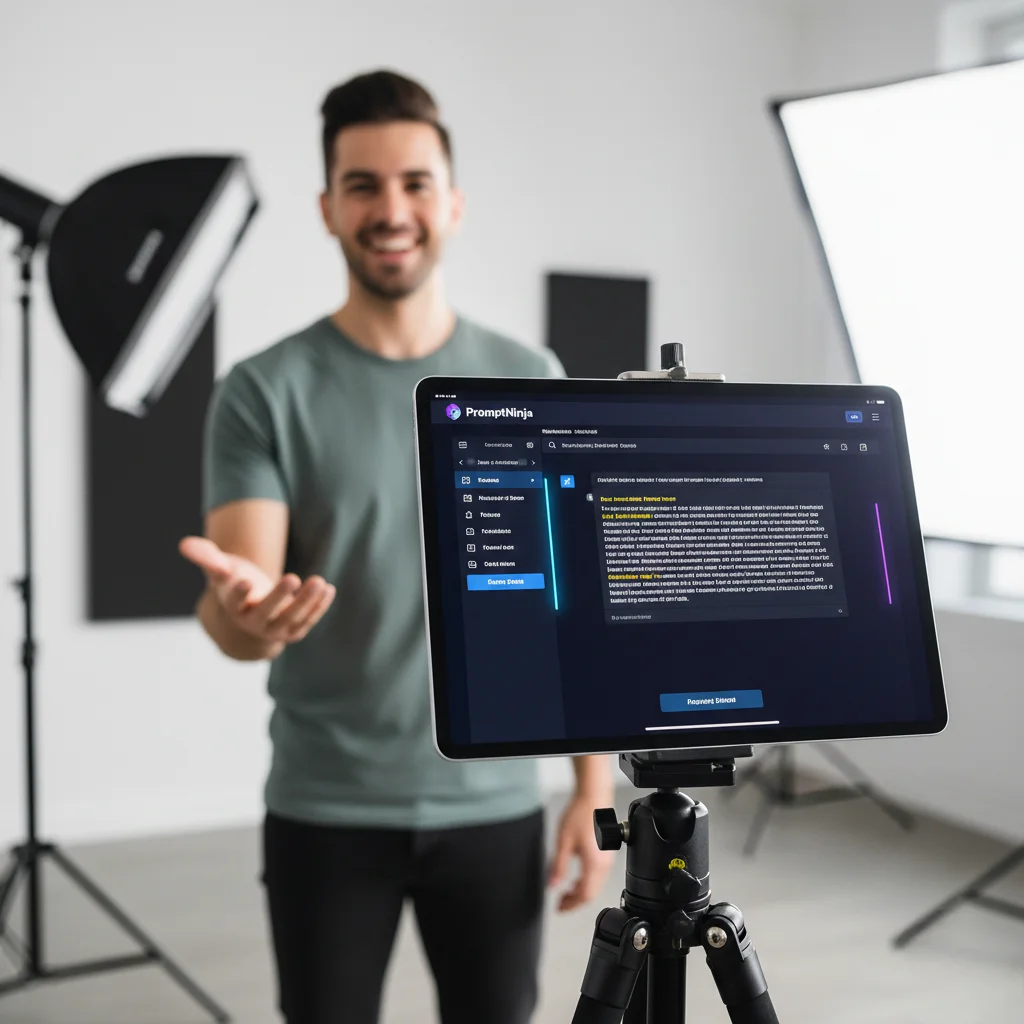
In this guide, we explore why tablets are considered the best devices for professional teleprompters. With PromptNinja, you unlock the full potential of your iPad or Android tablet, transforming it into a high-performance studio. Learn how to configure the responsive layout to avoid excessive eye movement, use your smartphone as a wireless remote, and discover how the native mirroring mode integrates your tablet perfectly with studio equipment, all for free and directly in the browser.
Why is the Tablet the Ideal Device for a Teleprompter?
- 👀Comfortable ReadingThe larger screen allows for generous fonts, reducing eye strain and allowing you to record for longer.
- ✈️Practical PortabilityEasy to mount on simple tripods or stands, the tablet is perfect for location recordings or compact studios.
- 🎬Professional and Elegant SetupUsing a tablet conveys much more authority, especially in live presentations or webinars.
- ⚙️Advanced PromptNinja FeaturesRemote control via smartphone, mirroring, and AI voice control, all optimized for the tablet screen.
This guide shows EXACTLY how to maximize your tablet's potential: from simple tripod setups to professional glass teleprompters, all using PromptNinja’s zero-latency technology.
Command the Screen with Confidence
Professionalism doesn't have to be expensive. Use the power of our PWA teleprompter directly on your tablet and record with excellence today.
Launch Tablet TeleprompterWorks 100% offline · Mirror Mode supported · Remote Control
Tablet vs Phone vs Laptop: The Battle of Screens
📱 Phone (Smartphone)
- ❌ Screen: Too small (6"). Requires tiny font or too-fast scrolling.
- ❌ Distance: Only works at less than 20 inches. Must be "on top" of camera.
- ❌ Glass: Too small for professional glass teleprompters.
💻 Laptop / Monitor
- ❌ Mounting: Heavy. Hard to mount on tripods without expensive gear.
- ❌ Mobility: Requires desk or stand. Ties you to the studio.
- ❌ Complexity: Cables, mouse, keyboard... setup takes 15min.
✨ Tablet / iPad
- ✅ Screen: Perfect (10-12"). Comfortable reading at 6-10 feet.
- ✅ Mounting: Lightweight. Any $15 mount holds it on a tripod.
- ✅ Professional: Standard size for studio glass teleprompters.
3 Professional Setups with Tablet
Setup #1: The "Backpack Studio" (Mobile Creator)
Ideal for solo creators in outdoor locations or compact home studios.
- Hardware: iPad/Tablet + Tripod with simple mount.
- Camera: Use the tablet's OWN front camera.
- Positioning: Tablet at eye level. Clean lens.
- PromptNinja: Text centered at top, near camera lens.
- Advantage: 30-second setup. 4K quality (on most new iPads). Zero cables.
Setup #2: The "Pro Glass" (For DSLRs/Mirrorless)
The gold standard for big YouTubers and TV. Requires teleprompter hardware (beam splitter).
- Hardware: DSLR camera on tripod + Glass teleprompter + Tablet lying flat on base.
- How it Works: Tablet reflects text onto glass. Camera records through the glass.
- PromptNinja Config: Enable Mirror Mode with one click ('M' icon).
- Control: Use your phone as a remote to vary speed while recording.
- Advantage: 100% eye contact into the lens. Cinema quality. Tablet is just the monitor.
Setup #3: The "Sidekick" (Hybrid for Lives)
Perfect for Instagram/TikTok lives or Webinars where you usually use PC to stream.
- Hardware: PC/Gamer Setup + Tablet on an articulated arm.
- Positioning: Tablet positioned EXACTLY under main webcam or beside gaming monitor.
- Usage: Tablet runs script (PromptNinja) independently from PC.
- Advantage: Frees up 100% of PC monitors for game/chat/OBS. Script doesn't "steal" Windows screen space.
How to Install (No App Store)
PromptNinja is a PWA (Progressive Web App). This means you don't download from the store, you "install" straight from the browser. Saves 200MB space and ensures instant updates.
O que você vai precisar:
Ferramentas
- Tablet (iPad or Android)
- Browser (Safari or Chrome)
On iPad (Safari)
On Android (Chrome)
Offline Mode
Transform Your Tablet Into a Studio Now!
Stop squinting to read on your phone. Use your tablet's full screen with PromptNinja and record videos with total confidence.
Compatible with iPad and any Android Tablet.
5 Fatal Errors When Using Tablet as Teleprompter
Error #1: Forgetting to Lock Screen Rotation
You bump the tripod and tablet rotates screen horizontal/vertical mid-recording. Text realigns and you lose your spot.✅ Solution: Enable "Orientation Lock" in iPad/Android control center BEFORE starting.
Error #2: Max Screen Brightness (Ghost Reflection)
On glass teleprompters, 100% brightness causes a "halo" or double reflection in camera lens, making image milky.✅ Solution: Use brightness at 60-70%. Sufficient to see text in reflection, but doesn't blow out camera image.
Error #3: "Pop-up" Notifications on Video
Mid-inspiring sentence, pop-up appears: "TINDER: New Match!". Ruins recording (and maybe reputation if screen sharing).✅ Solution: Do Not Disturb Mode or Airplane Mode are MANDATORY. PromptNinja works offline, so turn off Wi-Fi if possible.
Error #4: Wrong Font Size for Distance
Using font size 40 (phone standard) on a tablet 6 feet away. You squint to read.✅ Solution: Rule is: the further the tablet, BIGGER the font. On tablets at 6ft, use size 70-90px. Test readability before recording.
Error #5: Trying to Control by Touching Screen (Far Away)
Tablet is 6 feet away. You miss a line. Have to stand up, walk to tripod, rewind, go back, sit down... Breaks flow.✅ Solution: Use "Remote Control" feature. Keep phone in lap. Mistake? Pause and rewind via phone, without leaving chair.
Turn Your Tablet Into a Studio
Don't leave your iPad gathering dust. It's the $1,000 equipment you already own and aren't using to improve your videos.
🚀 Open PromptNinja on TabletCompatible with iPadOS, Android and Fire OS